
Construction. Engineering. Architecture. A PDF editor for commercial use
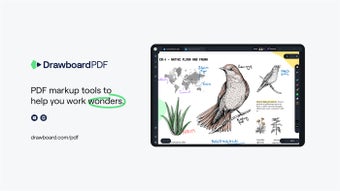
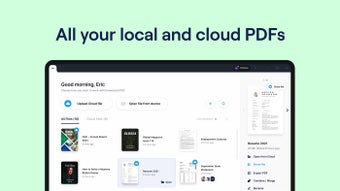
Drawboard PDF is a versatile, business-oriented PDF reader, annotator, and editor optimized for Windows tablets and touch screens. It provides a huge host of features, basic to advanced, and is particularly notable for its extensive stylus support, from back-of-stylus erasing to changing stroke width and color. Drawboard PDF is now Windows 11 ready.
Top Recommended Alternative

Drag, drop, and hang
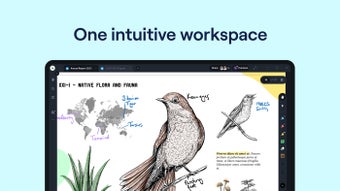
The first thing you'll notice, perhaps even before you buy it, is that this software does just about everything. From the top, you can navigate and edit PDFs through two different modes: finger touch, or with a stylus. (Note that while the software can be used with a mouse in theory, it is definitely designed for tablets or desktop touch screens.) The stylus support is amazing, serving well in its goal to replace natural pens and paper.
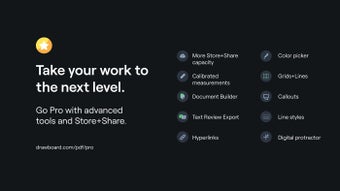
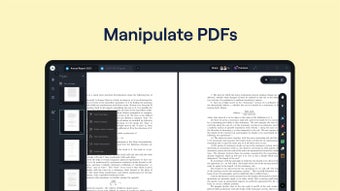
And although the software is designed to annotate existing PDFs – blueprints, documents, et al – its also like other free PDF tools online that can be used to create PDFs, type them up, insert images, add or delete pages, and most other basic function you'd find in, say, Adobe Acrobat.
There are some blemishes with this process, though. Although no particular feature in the software itself triggers it, Drawboard PDF can occasionally work slowly or even crash entirely. Previously, this has happened temporarily as a result of operating system updates, before Drawboard itself was updated. This is not a large issue but it is a possibility to keep in mind.
Everything noted down, for good or for ill
One of the biggest draws to Drawboard's PDF offering is that it is fantastic for annotation. Its stylus support is discussed at great length above, but the feeling it provides of using a natural pen works very well together with the ability to annotate a PDF just about any way using it. You can write and erase easily, of course, without the mess pens and paper would make that, but you can also move existing annotations around freely, draw shapes, and highlight. When you're done, you can flatten your annotations onto the PDF itself if you'd like. And if you'd rather avoid that, you can drop sticky notes (or popup notes) wherever they're needed to stay.
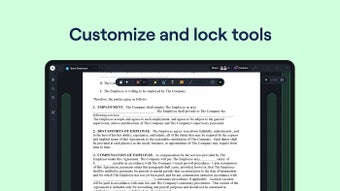
But although from a perspective of what it can do, Drawboard PDF is nearly unmatched, it is not perfect in how it does it. Certain specific functions are hard to access, and the number of settings that Drawboard provides to redress this or change the interface is limited. For example, the portion of the interface used to choose the pen tool can block one's view of the PDF itself, and resizing does nothing to solve this problem. While a solidly built interface can afford to be rigid in parts, Drawboard provides few options to change it when you encounter problems.
Don't be dissuaded
Overall, though, Drawboard PDF is an excellent choice for any construction, architecture or engineering business that needs its employees to edit PDFs. Its extensive suite of annotation tools and natural inking capabilities come together to let it replace pens and paper. The three day free trial is more than enough time to determine whether its problems with interface customization and speed are a deal-breaker, so trying it comes highly recommended.